Following my previous post about user profiles not removed at logoff, I noticed every now and then a temporary user profile will be utilized rather than the roaming/mandatory profile.
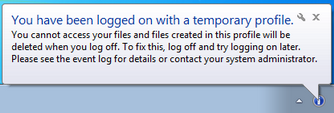
When connecting with specific accounts, I noticed the following error “You have been logged on with a temporary profile…”
Environment:
- Windows 2008 R2
- XenApp 6.5
- XenDesktop 5.6
- UPM 4.1
Issue:
- When connecting to XenApp/XenDesktop, the user will receive an the error “You have been logged on with a temporary profile…”
- All user customization are lost when connecting with the temporary profile.
Cause:
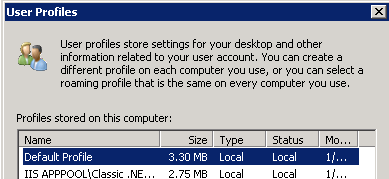
In this case, the user accounts “not working” were stored in the Golden PVS image, even though the profile was NOT listed under “User Profiles” located under “Control Panel\System and Security\System\Advanced system settings\User Profiles Settings”, however the profile was still stored in the registry, even after the profile directory was deleted.
Solution:
- Launch regedit.
- Navigate to HKLM\SOFTWARE\Microsoft\Windows NT\CurrentVersion\ProfileList. Within the ProfileList hive, each account has a directory with a name similar to S-1-5-*.
- Click each directory and check the ProfileImagePath key to determine the user account name.
- Note the accounts that you want to remove and their associated GUID.
- Remove these GUIDs from both these locations:
- HKLM\SOFTWARE\Microsoft\Windows NT\CurrentVersion\ProfileList
- HKLM\SOFTWARE\Microsoft\Windows NT\CurrentVersion\ProfileGuid

After the changes above, everything worked as expected.







 Daniel Ruiz
Leave a comment