While performing some maintenance on our XenApp 6.5 hosts running Outlook 2010 with the Enterprise Vault client, we started getting an add-in incompatibility error when launching Outlook.
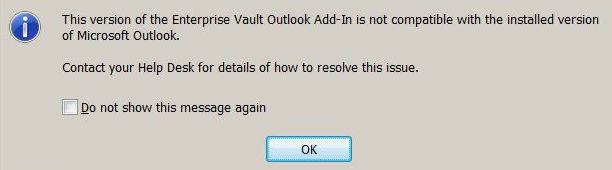
EV error

After looking around on Symantec’s website I was not able to find any tech articles re: a solution.  I did run into a blog (http://itdiplomat.wordpress.com) which pointed me in the right direction.

Solution:

Create the following “String Value” regkey

[HKEY_CLASSES_ROOT\Outlook.Application\CurVer]
@=”Outlook.Application.14″

EV issue regkey

4 responses to “Symantec Enterprise Vault Error – This version of the Enterprise Vault Outlook Add-In is not compatible with the installed version of Microsoft Outlook”

  1. Yes that appears when the version of Outlook that is detected is lower than Outlook 2003. The detection is done by registry checks, so it would make sense that if the key mentioned is missing the add-in would think it was an earlier version of Outlook.

  2. Rob Wilcox

    Not sure if the comment went through before…

    So yes, the Outlook Add-in works out via a registry key check which version of Outlook is installed. So a missing key like this would cause the Add-in to think that the version was pre Outlook 2003.. and show the message.

    1. CyberRuiz

      Thanks for explaining the reason why it would fail Rob. Appreciate it.
      Daniel

  3. The required keys are present in my registry. My problem is I have Outlook 2010 while most of the rest of the agency is still using Outlook 2007.

Leave a reply to Rob Wilcox Cancel reply

I’m Daniel

Welcome to my tech corner, your go-to destination for insights, tips, and deep dives into NetScaler, Citrix, virtualization, and cloud technologies.

Here, I share expertise, practical guides, and the latest trends to empower IT professionals and enthusiasts.

Let’s connect




